Intelligence for an injury-free workplace
Intelligent cameras and sensors warn drivers about impending risks and give your safety team a map of every risk.


See it on your own floor.
Request a pilotHow Canary works
-
01
Turn your policy into rules
Your policy becomes rules your team approves, like 10 ft around every forklift.
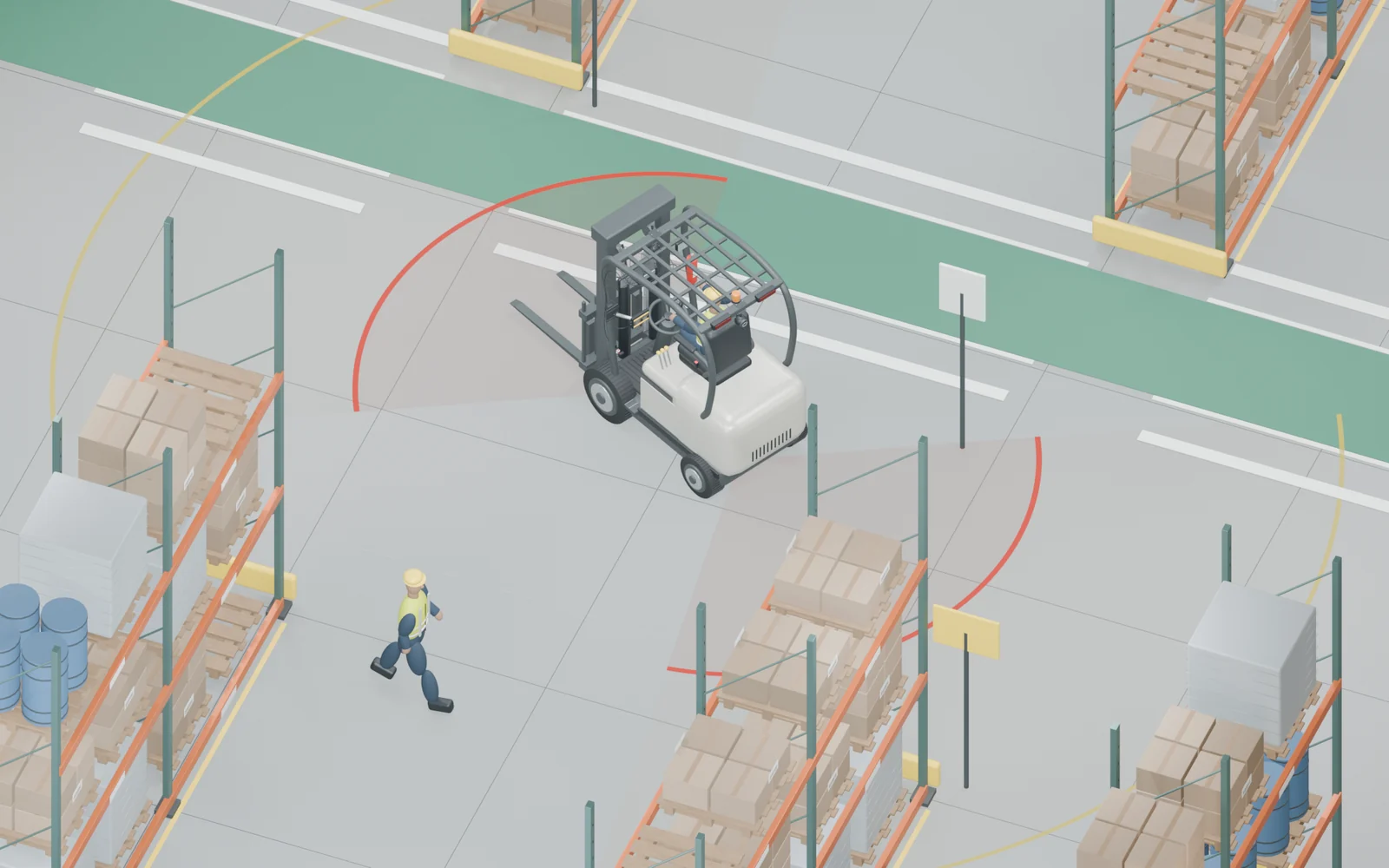
“Keep 10 ft from forklifts.” Your policy
Canary rule Within 10 ft: alert the driver.
Approved by your team
-
02
Warn the driver
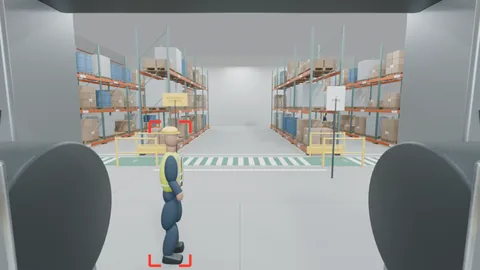
Light and sound in the cab when a person is closer than your policy allows.

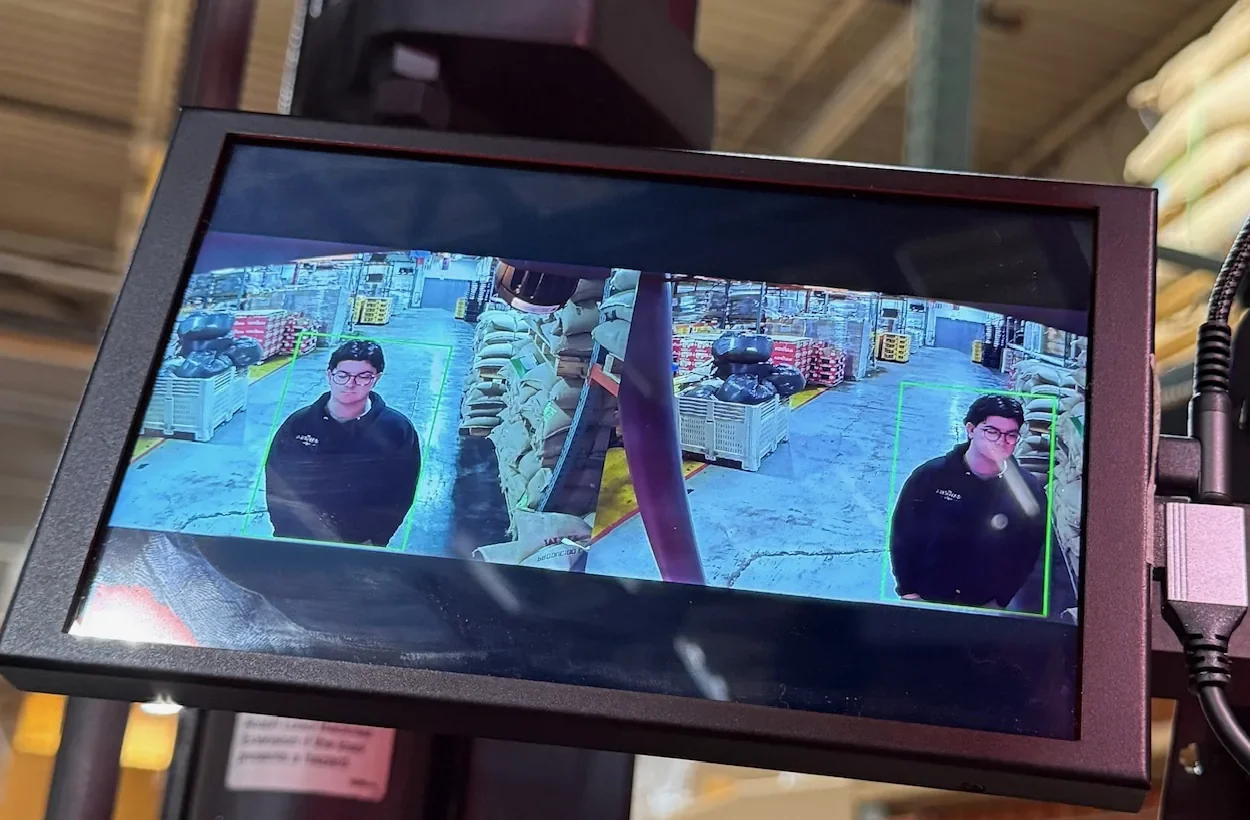

People seen, at a safe distanceToo close: light and sound -
03
Get each incident, with video
Flexible reports and alerts: by email, in Teams or Slack, or in your incident system.
New incident #1042
 0:12
Near miss High
- When
- Tue, 2:14 PM
- Where
- Aisle B corner
- Truck
- Truck 01
- Rule
- Keep 10 ft





 Teams
 Slack
 Excel
-
04
Find risk hotspots, measure the fix
See where and when near misses, hard braking, sharp turns and collisions happen. Make a change, then track it week by week.
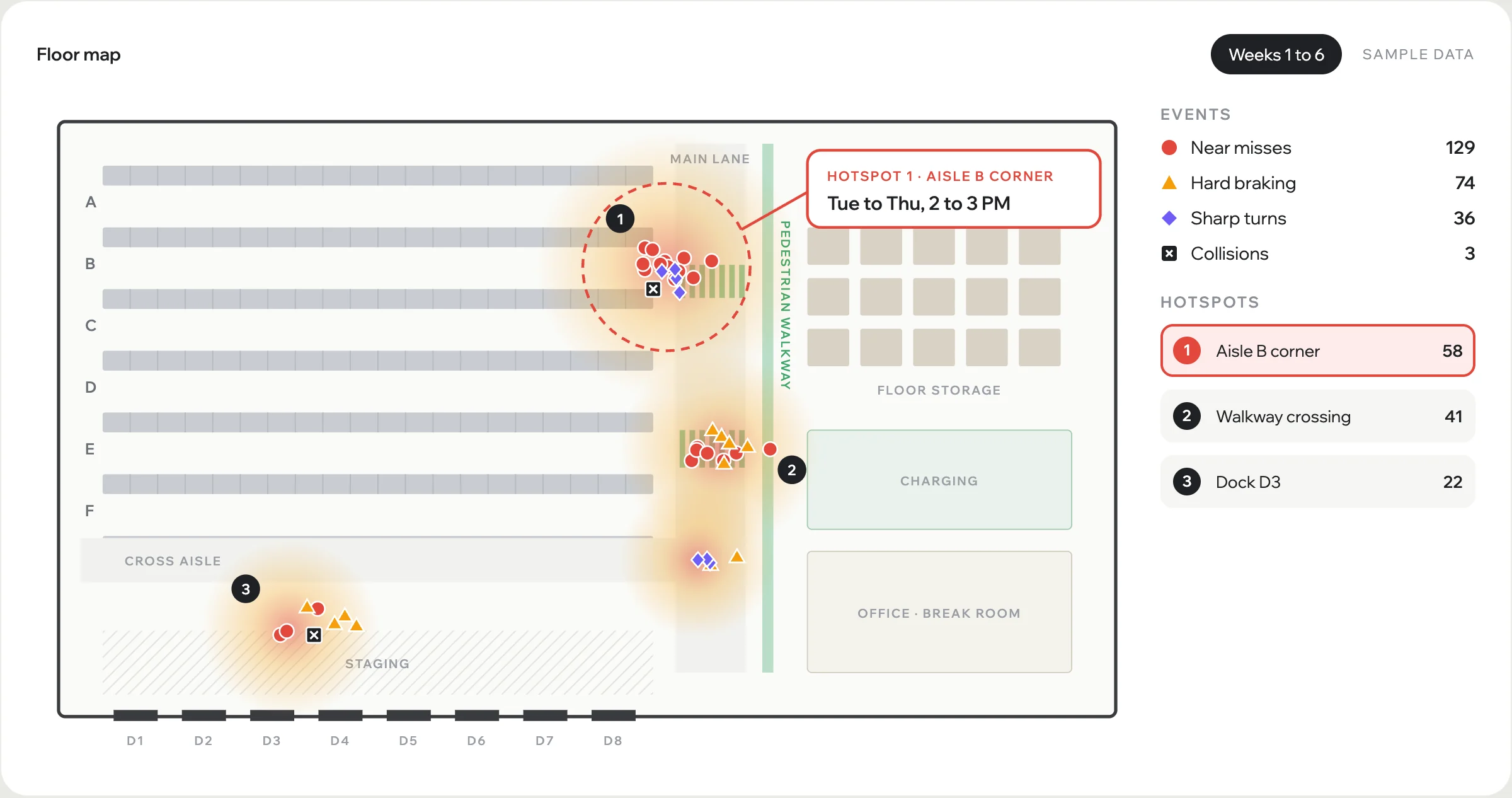
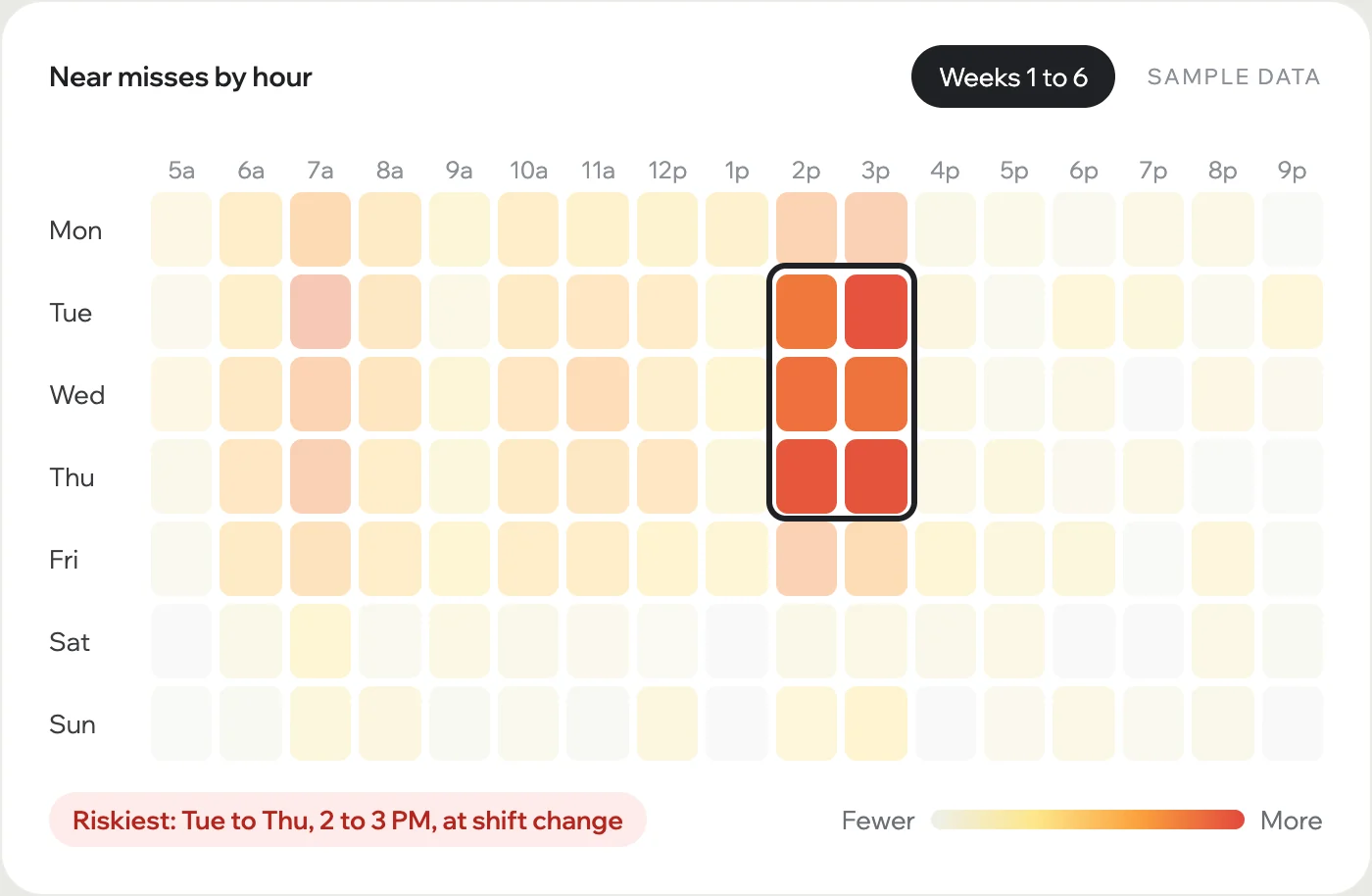
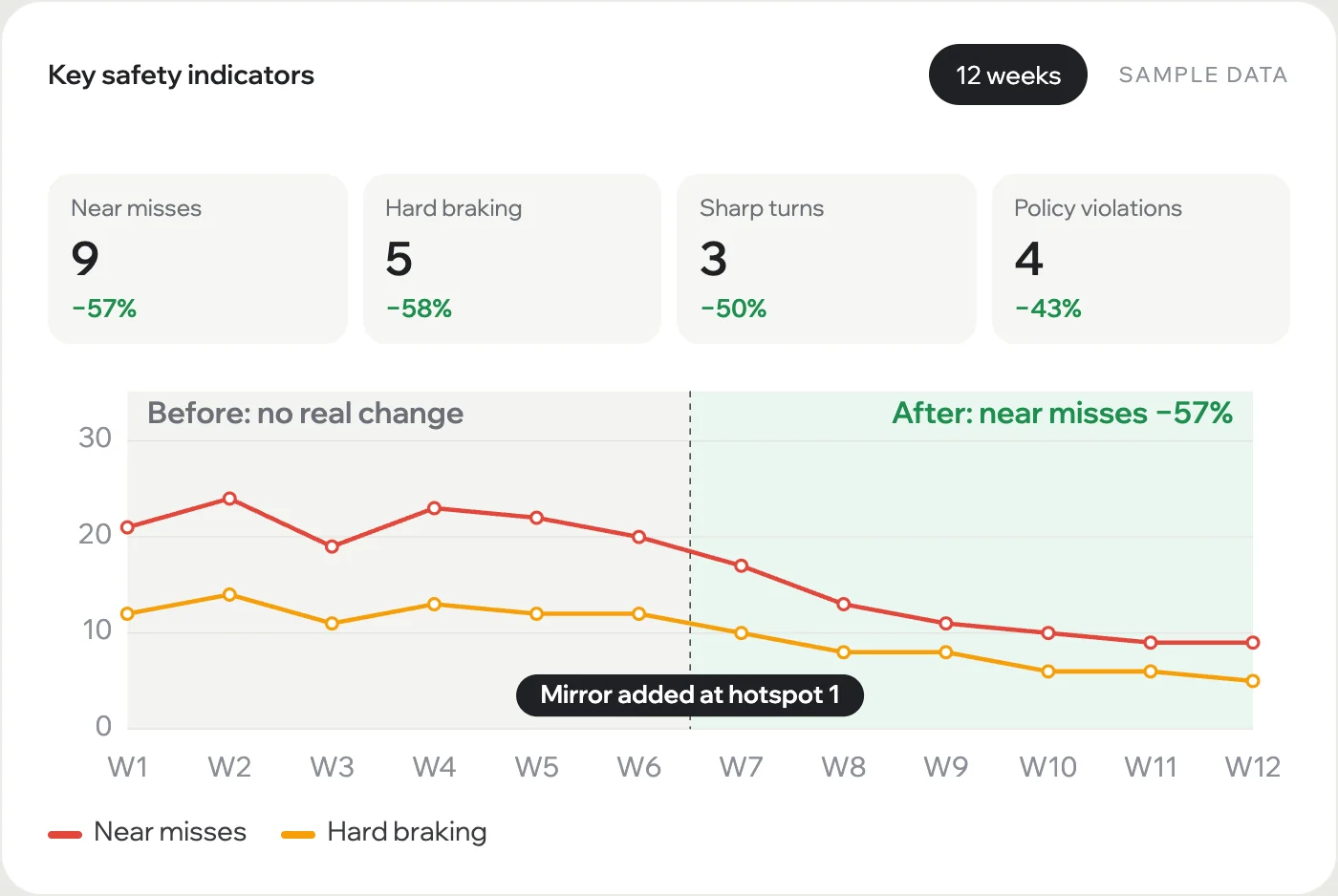


Find your own hotspots in a pilot.
Request a pilotPlug and play on your forklifts

- Self-install in hoursUniversal mounts fit any modern forklift.
- No rechargingRuns on the truck's own battery.
- Private and secureIts own cellular link, never your Wi-Fi. Data handled under our GDPR-compliant privacy policy.
-
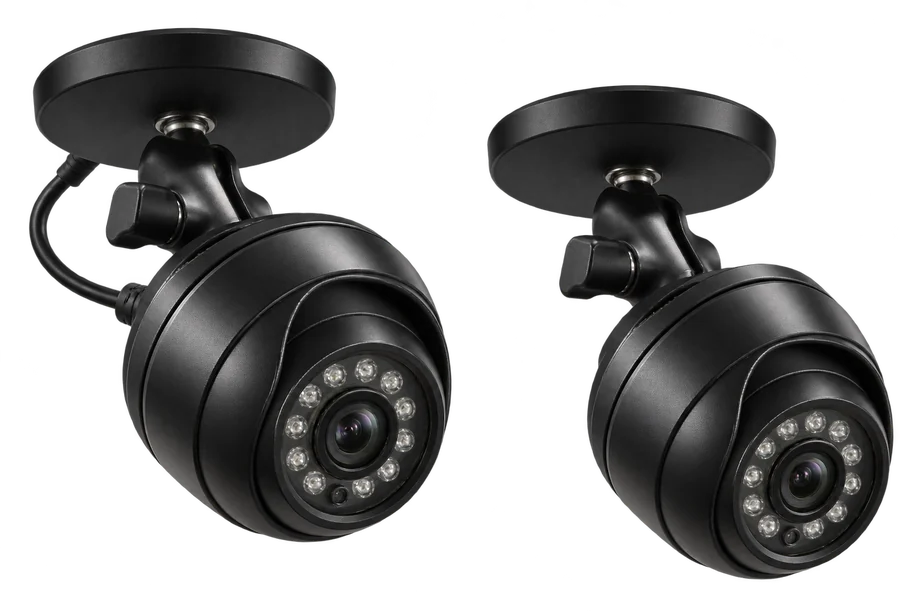
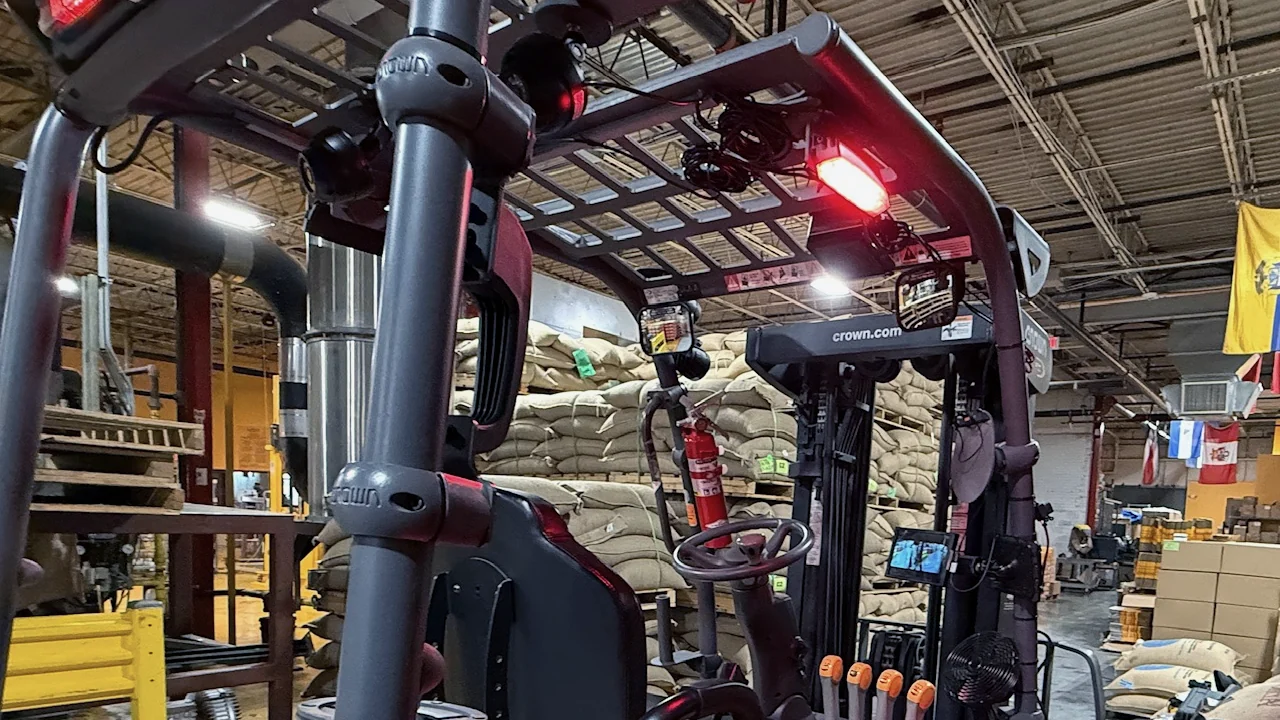
Two intelligent cameras
- 2 MP HD, wide-angle view
- Night vision
- Magnetic mounts
-
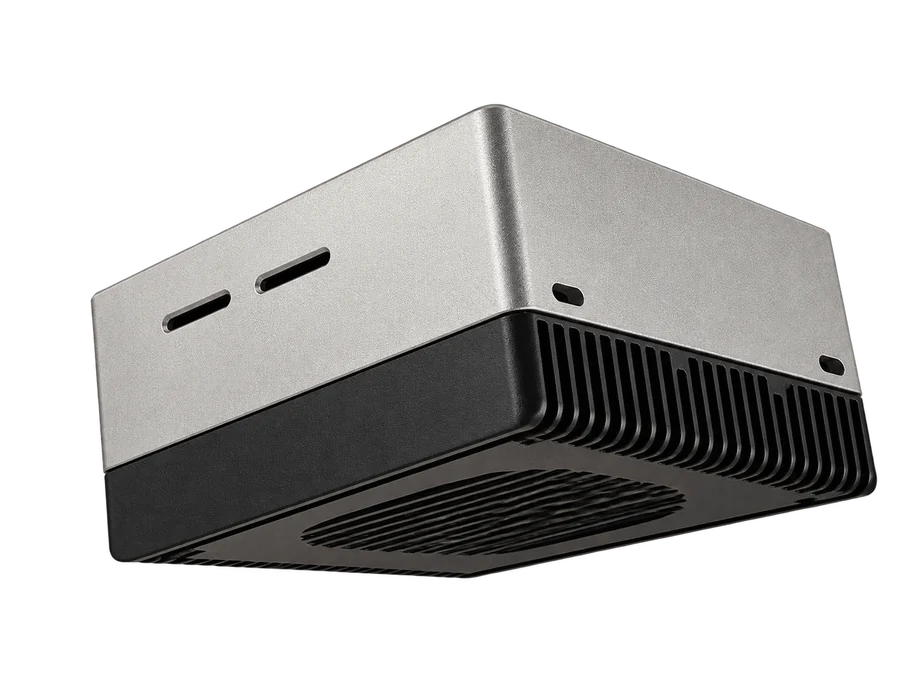
Onboard computer
- Real-time hazard detection
- Incident logging and analysis
- Hard-braking sensor
-
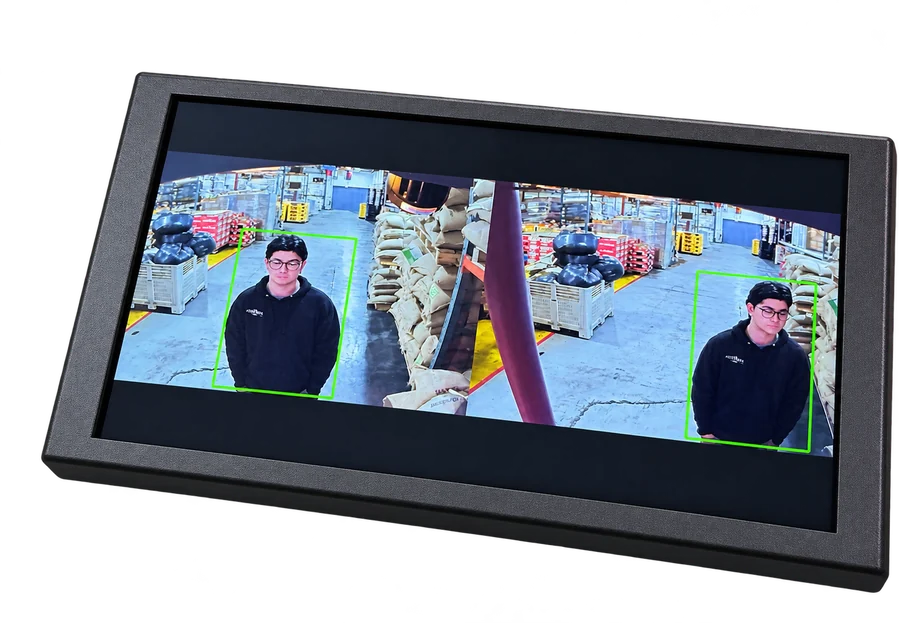
Driver display
- 8-inch HD touchscreen
- Light and sound alerts
Each incident goes into the systems your team already uses
- Teams
- Slack
- Excel
- API

Try it on one of your trucks.
Request a pilotCanary in the field
Real photos from a customer site.
Get a safety benchmark for your site.
Request a pilotHow a pilot works
One truck, about a month. Success means an injury-free workplace.
- Day 1Kickoff callWe review your safety policy, including OSHA rules, and pick one truck where people and forklifts share the floor.
- A couple of hoursSelf-installThe kit mounts on any modern forklift and runs on its battery. No Wi-Fi or IT work.
- About a monthRunDrivers get alerts right away. Your team gets every incident with video, and a map of every risk.
- End of the pilotReview and quoteWe walk you through your safety benchmark: hotspots, peak times and top fixes. Then a clear quote for your fleet.
Start with one truck.
Request a pilotQuestions
Which forklifts does Canary fit?
Any modern forklift with a steady electric power supply. The mounting system is universal and made for forklifts. We have not yet met a forklift we could not fit.
How long does install take?
A couple of hours. It is a self-install kit: mount the cameras and the display, and connect the computer to the truck's battery.
Do we need Wi-Fi or help from IT?
No. Canary has its own built-in cellular link and runs on the truck's battery. It never joins your network.
Will drivers get too many alerts?
You set the distances and the rules, based on your safety policy. Your team approves every rule before it goes live.
Does Canary record our workers? Who sees the video?
Canary keeps short clips of incidents, so your team can see what happened. Who can see them, and for how long, follows our GDPR-compliant privacy policy.
Can incidents go into our own systems?
Yes. By email, in Teams or Slack, or in your EHS or incident system.
What does Canary cost?
It depends on the size of your fleet and what you need. Tell us about your site, and we will talk it through and send a clear quote. The pilot comes first, so you see the value on your own floor.
What happens after the pilot?
We review the results with you and send a quote for your fleet. If you go ahead, we invoice and ship kits for your other trucks.
Test drive Canary at your facility
One truck, where people and forklifts share the floor.
WHAT YOU GET
- Canary on one truckA self-install kit, set to your safety policy, including OSHA rules. Drivers get alerts right away.
- Your safety benchmarkNear misses, hard braking and policy violations, with video, by place and time.
- A plan to fix the hotspotsSee where to act, make a change, and measure the result week by week.
- A clear quoteAfter the pilot, a quote based on your fleet and what you need.
Intelligence for an injury-free workplace.